Smarter meeting prep - ZoomInfo
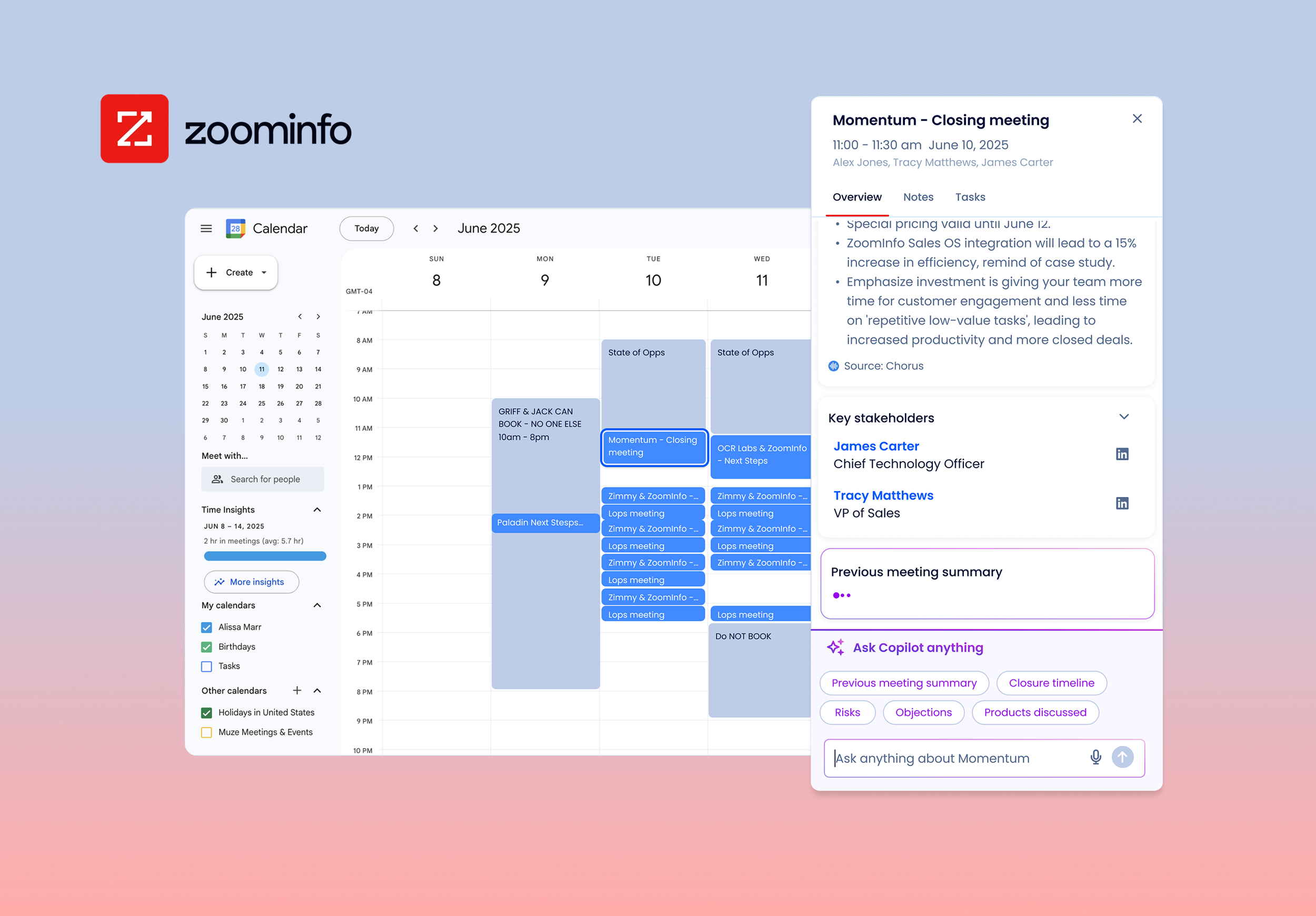
TL;dr Meeting prep inside Google Calendar — reduced tool hopping for Sales AEs & AMs.
Context
Background
In collaboration with the Sales OS team at Zoominfo I designed the meeting prep tool as part of a vision concept to influence stakeholder planning in H2 2025.
Expand ZoomInfo suite of tools to meet users where they are. Smoothly integrate into everyday tech stack and grow daily product usage.
Business Goal
Led feature design for the Google calendar extension. Conducted internal concept testing to iterate, recorded the prototype demo which was presented to VP stakeholders.
AI tool use:
Cline in VS Code: Vibe-coded initial ideation prototype.
Gemini: User story writing, synthesis, and summarization of results for concept testing.
What I accomplished
Project Overview
Role: UX/UI Designer, User Researcher
Team makeup: Collaborated with 2 other UX/UI Designers with leadership from UX Director.
Duration: May - June 2025
Deliverables/Tasks: Problem definition, Crazy 8s design jam, storyboarding, AI prototyping, Figma designs, Concept testing, Video demo for stakeholders
Solving Pain Points
Giving UX a POV
We had the unique opportunity to influence H2 Planning by solving for crucial pain points. It’s been a goal at ZoomInfo to expand the sales use cases from just prospecting to managing the E2E sales lifecycle.
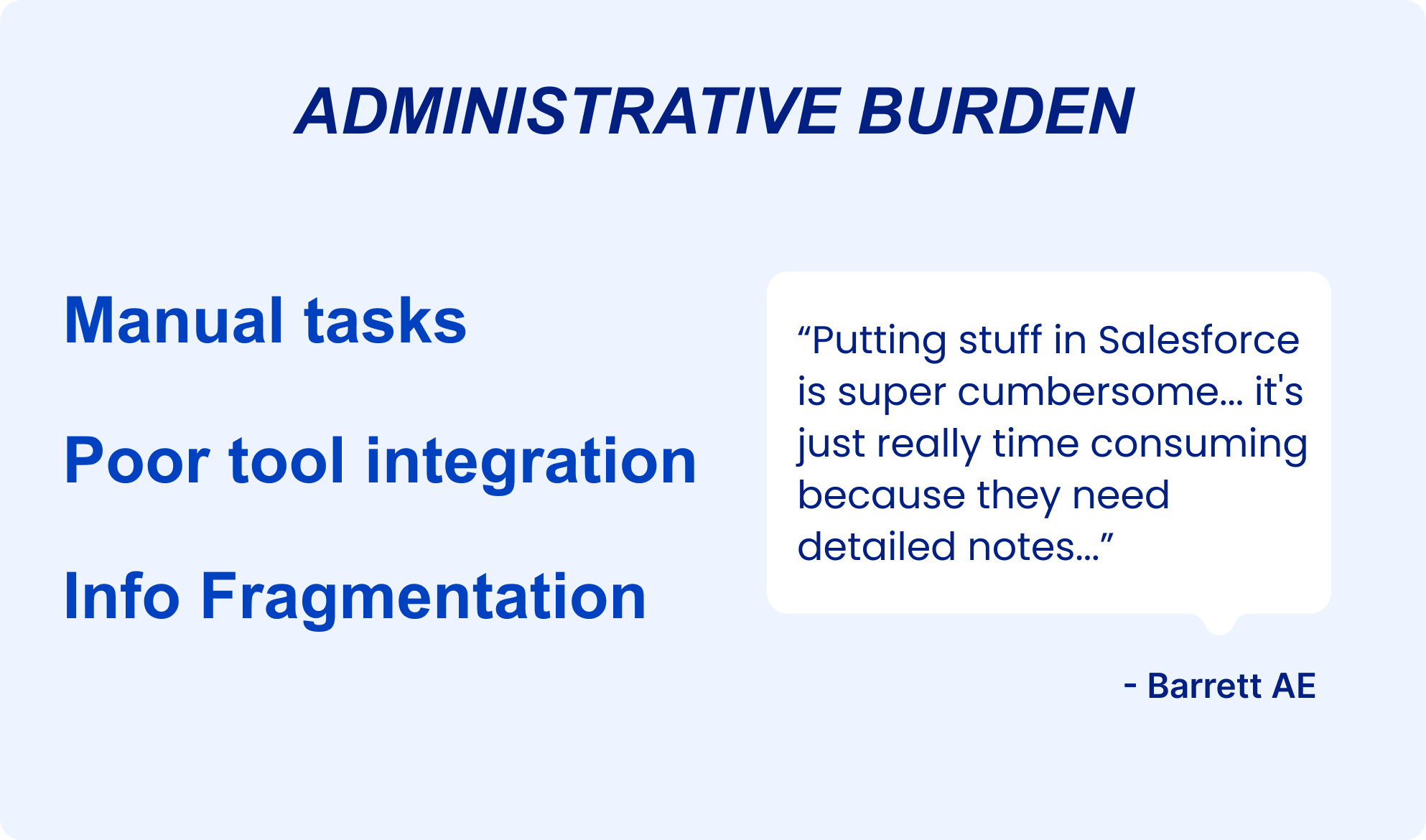
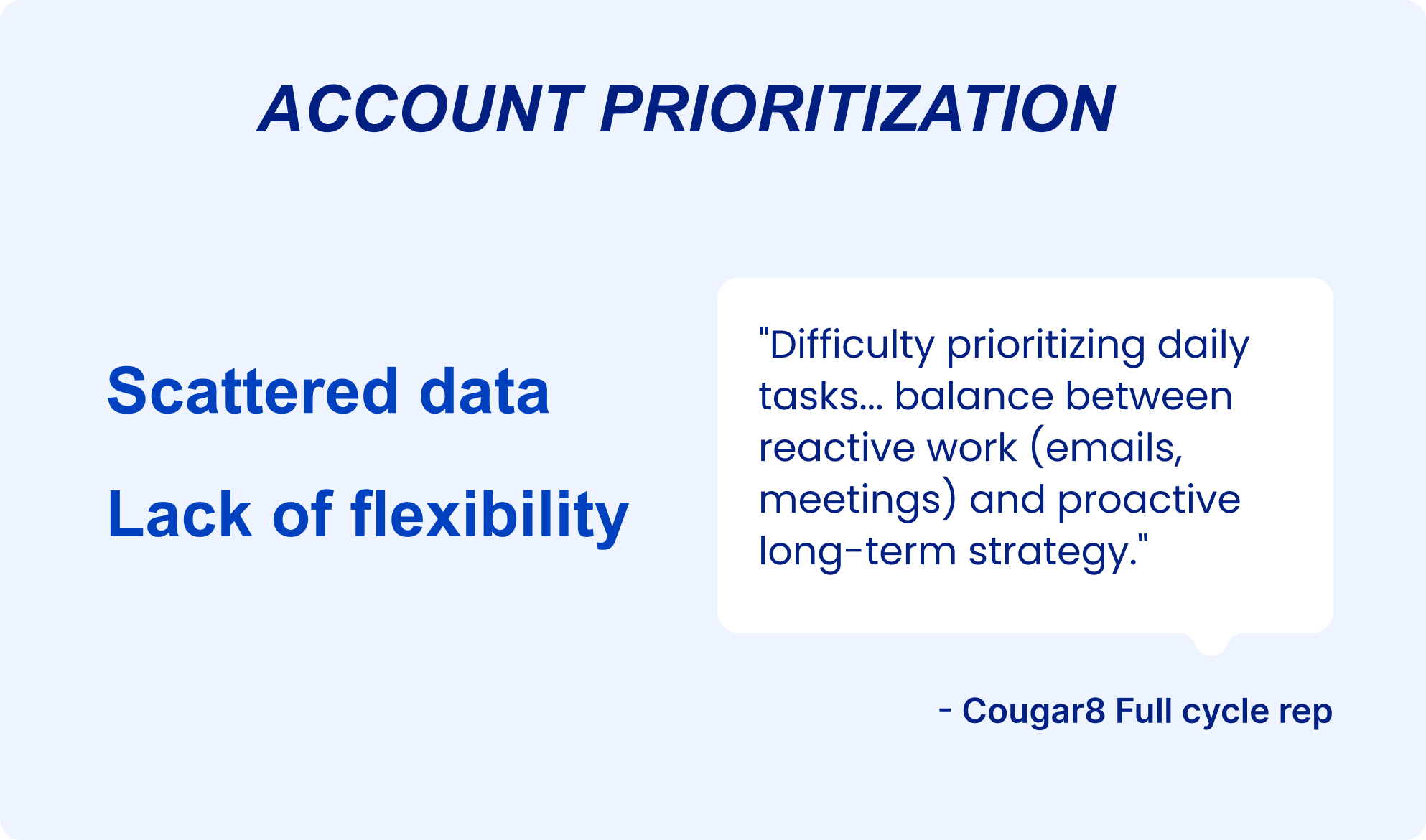
As a team we ran through the recent persona research I led and chose 2 main focus areas:
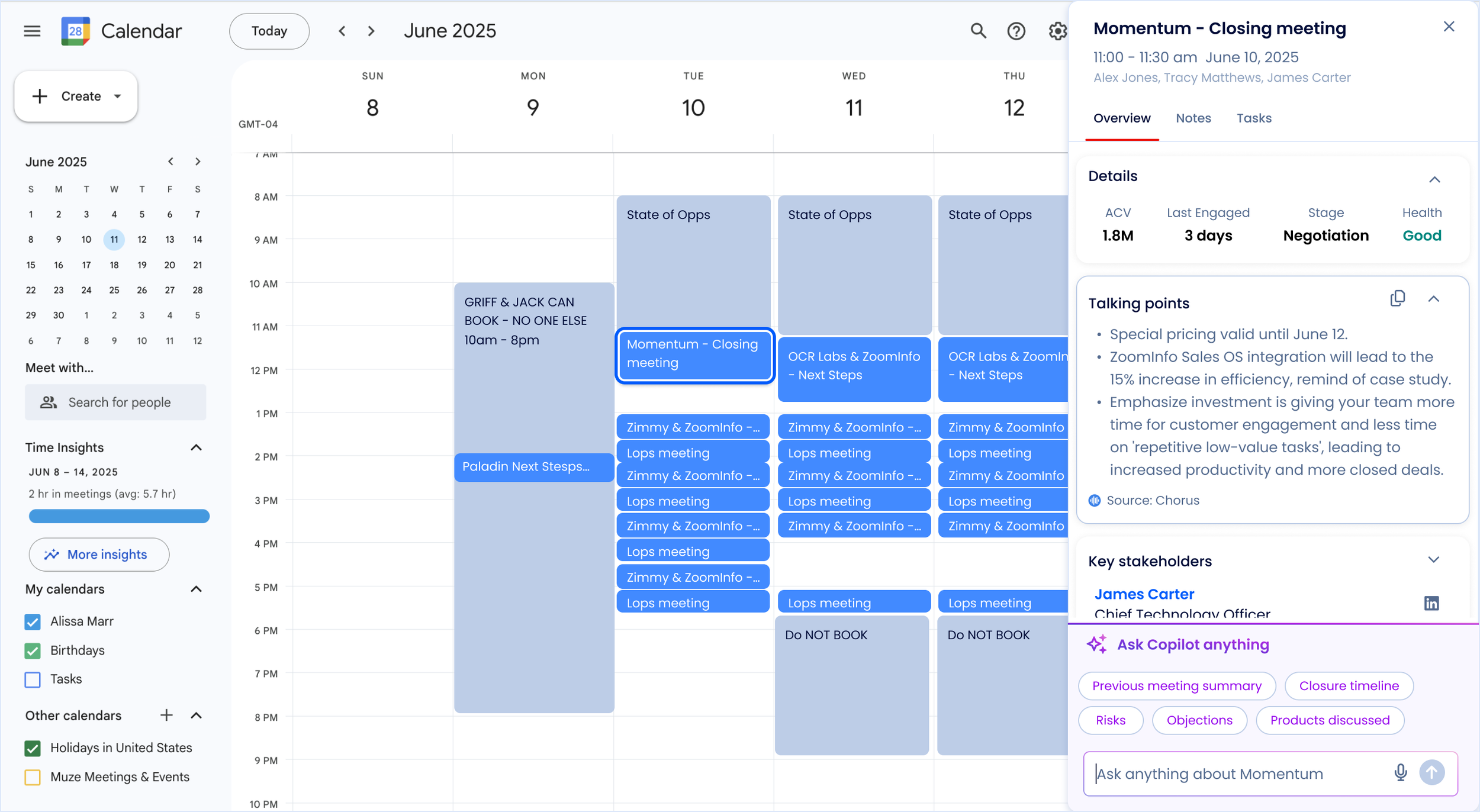
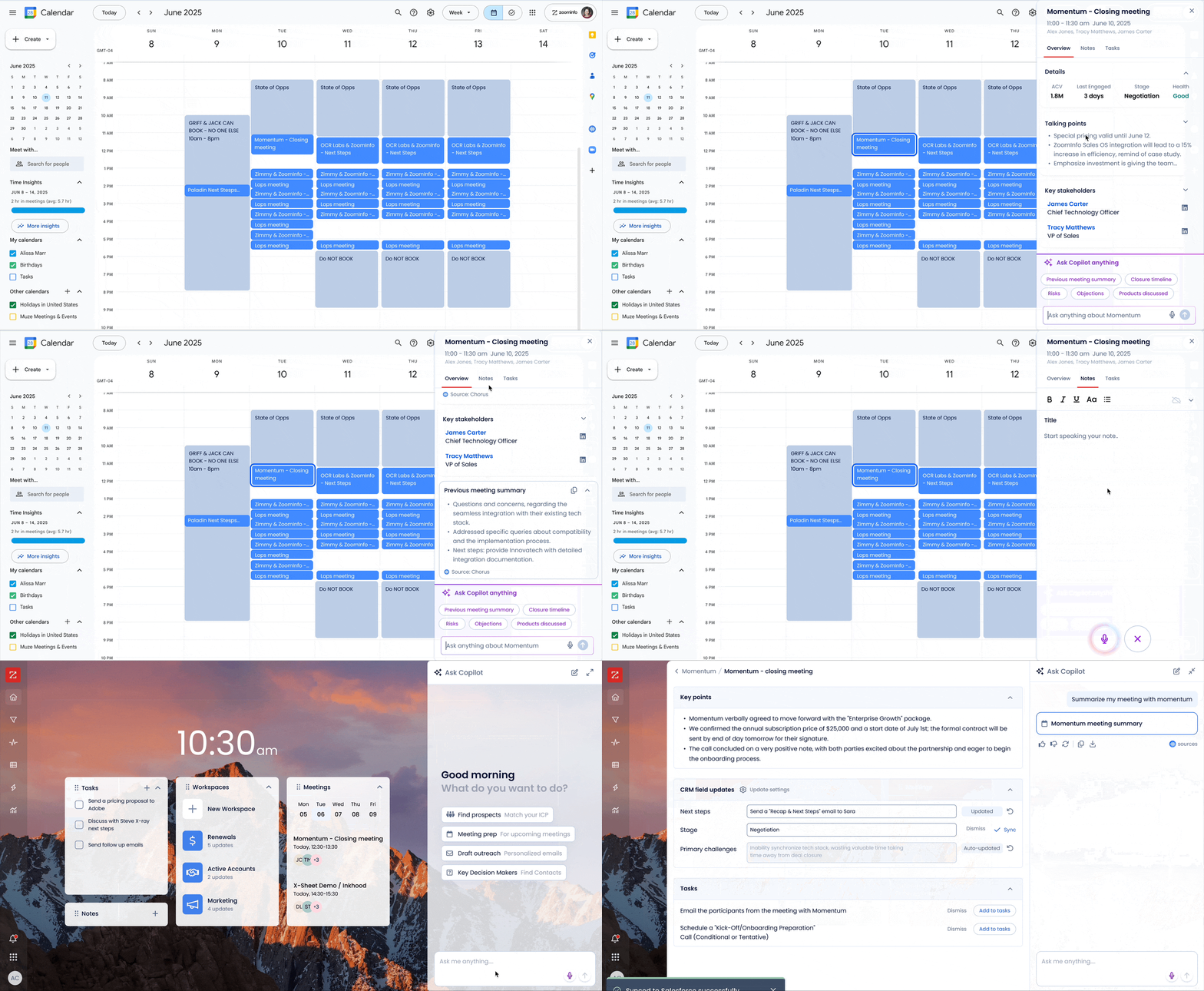
Final Prototype
✅ Accessing a meeting summary where users start their day helps prep for back-to-back meetings.
❌ Pain point: Scattered data
The 2nd half of the prototype was led by another designer.
✅ Syncing key points from their call directly to CRM.
❌ Pain point: Manual tasks
👥 Brainstorming the fun way
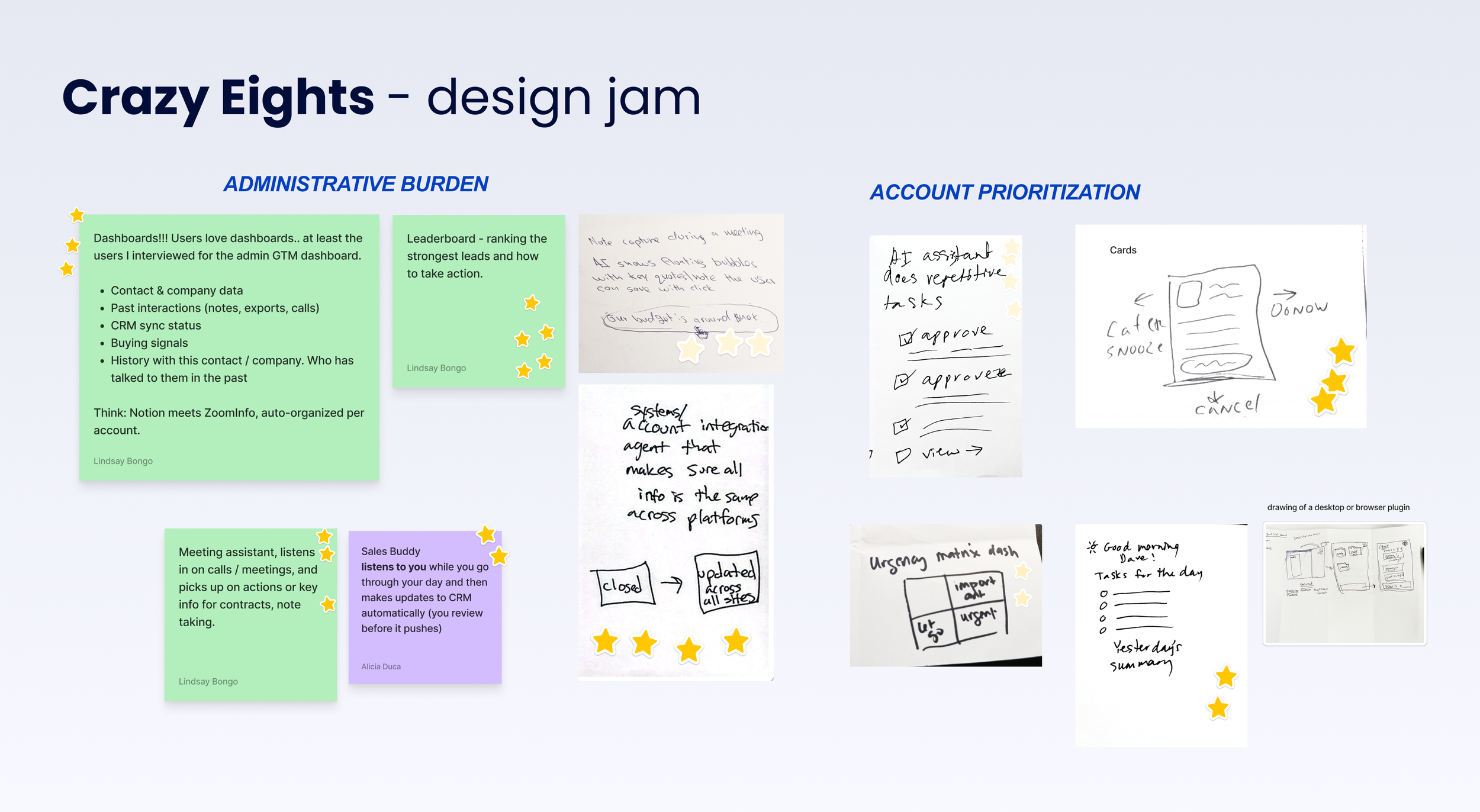
We pulled UX Designers in from other teams for a design jam.
Splitting into 2 groups we brainstormed 8 crazy ways to solve user pain points in our categories, then voted for top ideas.
Having an AI meeting assistant was an resounding heck yesss.
Competitive Benchmarking
Scratchpad
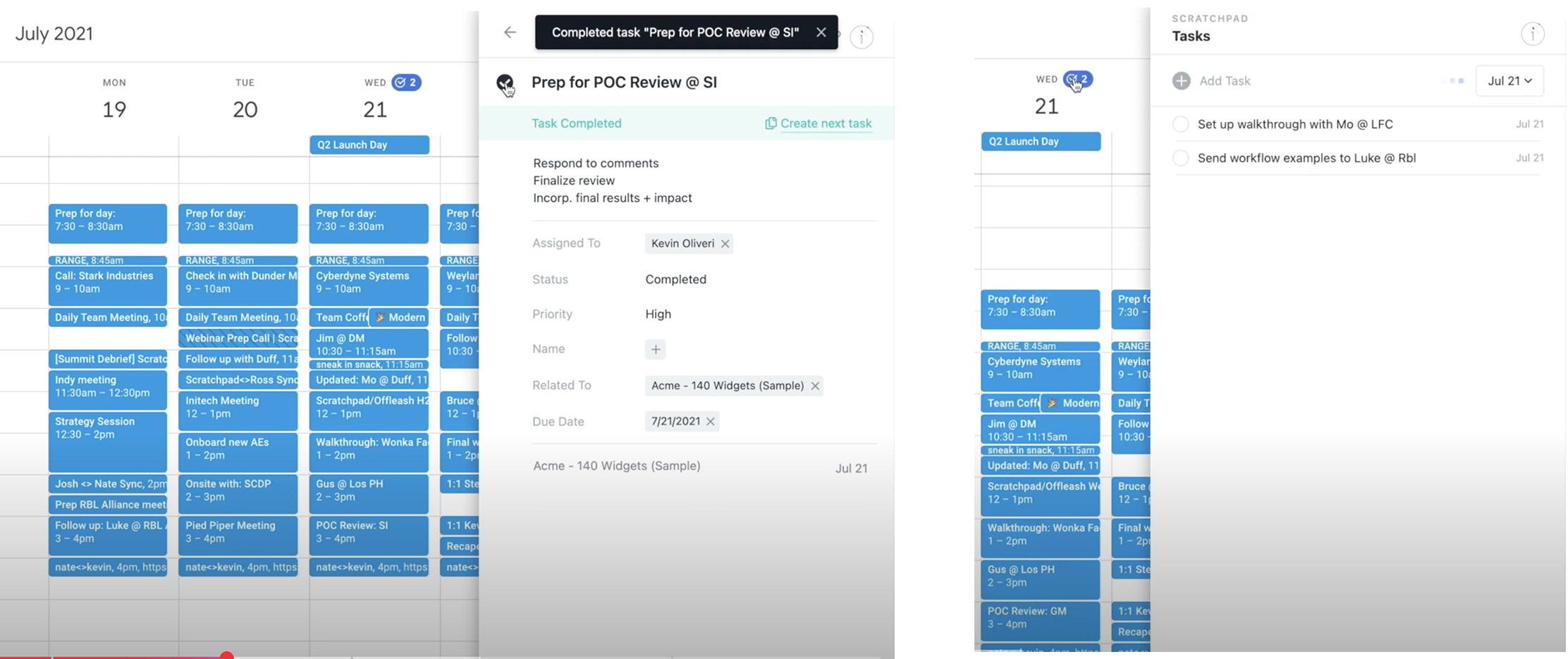
We looked at competitor solutions for tool fragmentation. The examples below show a Google calendar extension for task creation and note taking.
Ideation sessions with the UX Director revealed a clear way to differentiate ourselves by bringing in our CoPilot chatbot! This meeting prep tool idea aligned with frustrations we found in recent user interviews, that Sales AEs and AMs have back to back meetings. Meeting prep takes a lot of bandwidth and time when the information is scattered amongst different applications.
Vibe Coding ideation
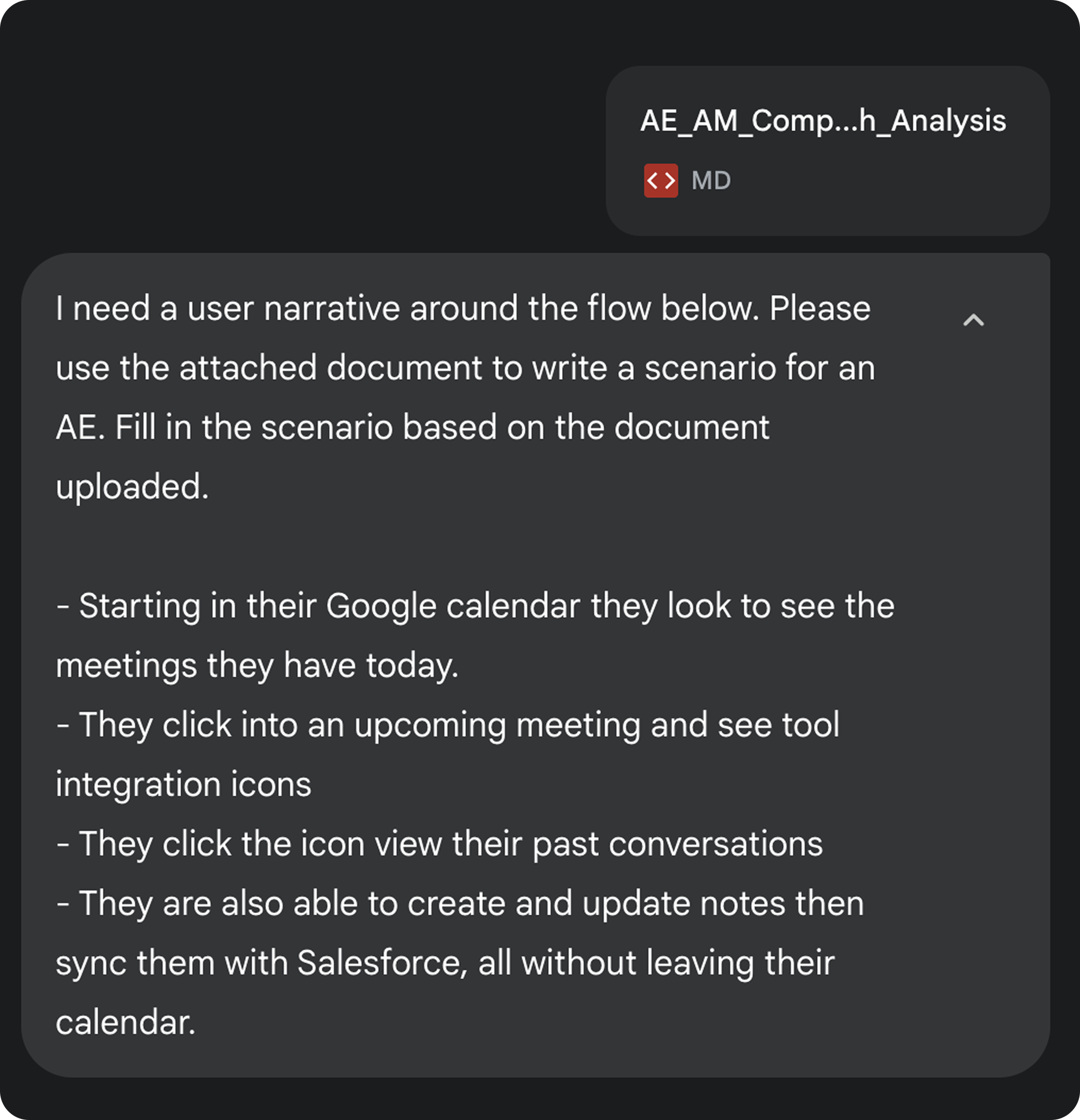
Gemini for planning
I ran my user research, and beginning steps of my user flow through Gemini. This partnership in user experience strategy streamlined the planning and user flow creation! (Image to right ➡️)
In collaboration with…
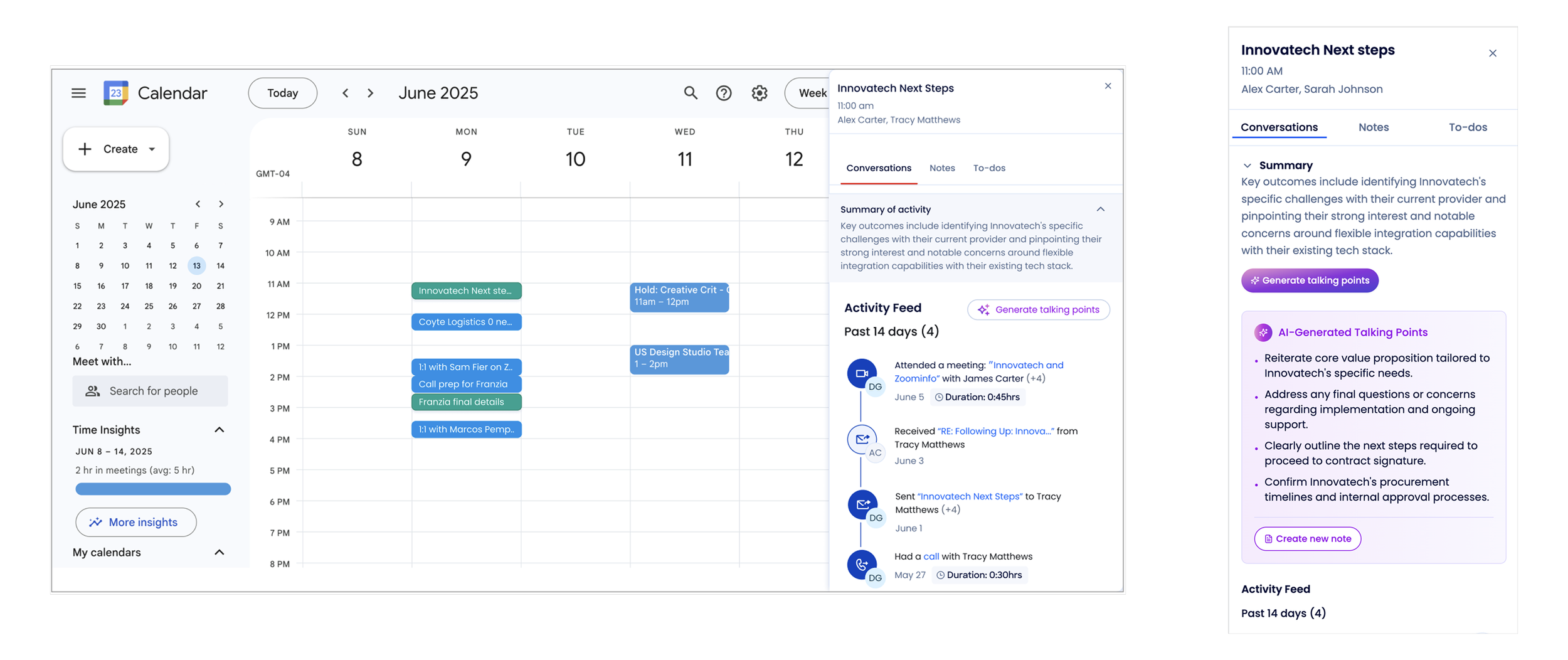
Cline for prototyping
I brought my refined Gemini user flow into Cline (VS Code) adding a screenshot of Google Calendar.
The initial designs provided an insanely clear start which sped up my design process! (Image below ⬇️)
Keep on sketching
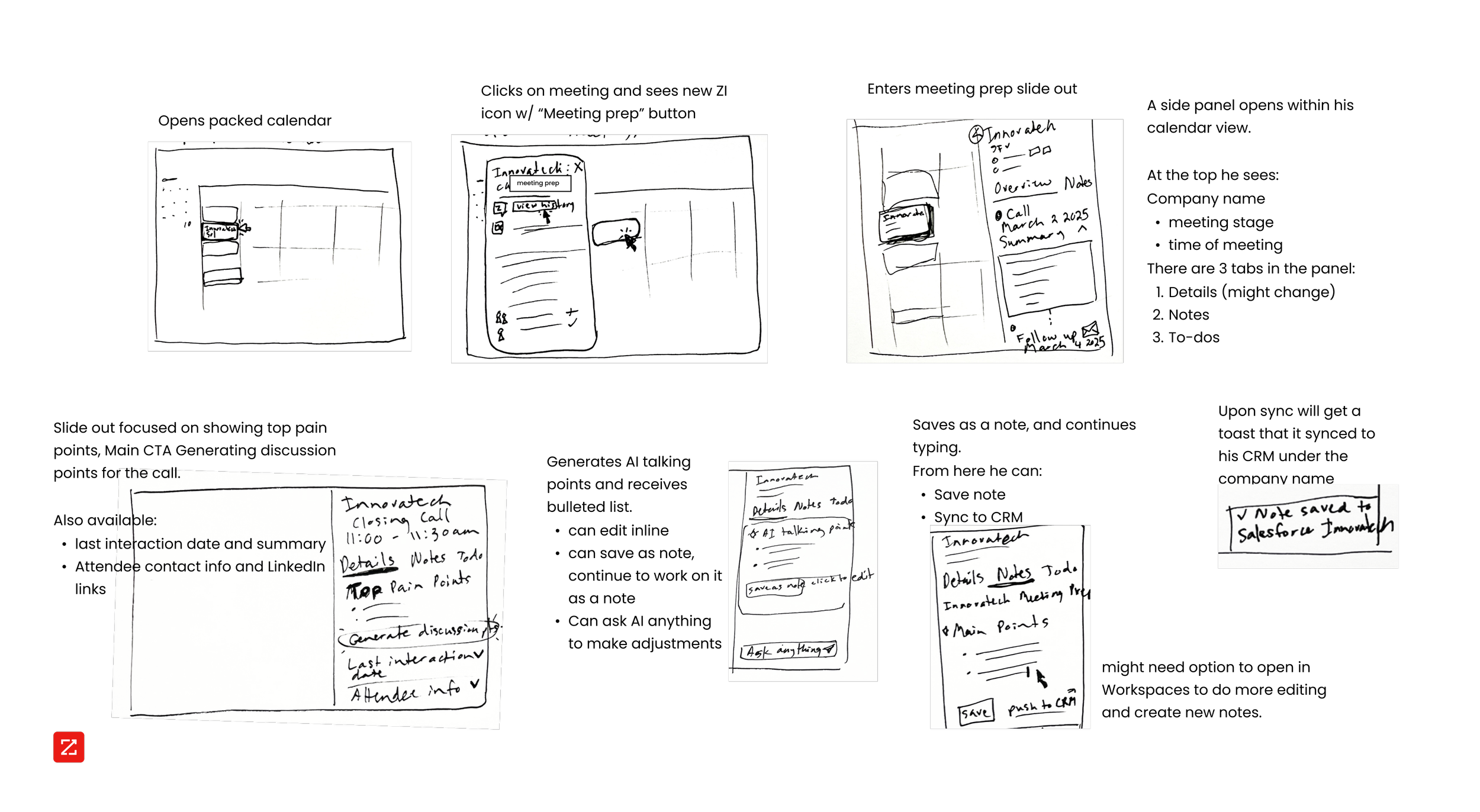
Storyboarding to ensure gaps were filled
I drew out the intended flow from start to finish with the design direction I vibe coded.
I ALWAYS storyboard. call me old school, but this step helps me draw from my intuition, work out kinks, and assists with picturing myself in the user’s shoes.
Latest and greatest
Design trends for SaaS lately? Enter the canvas…
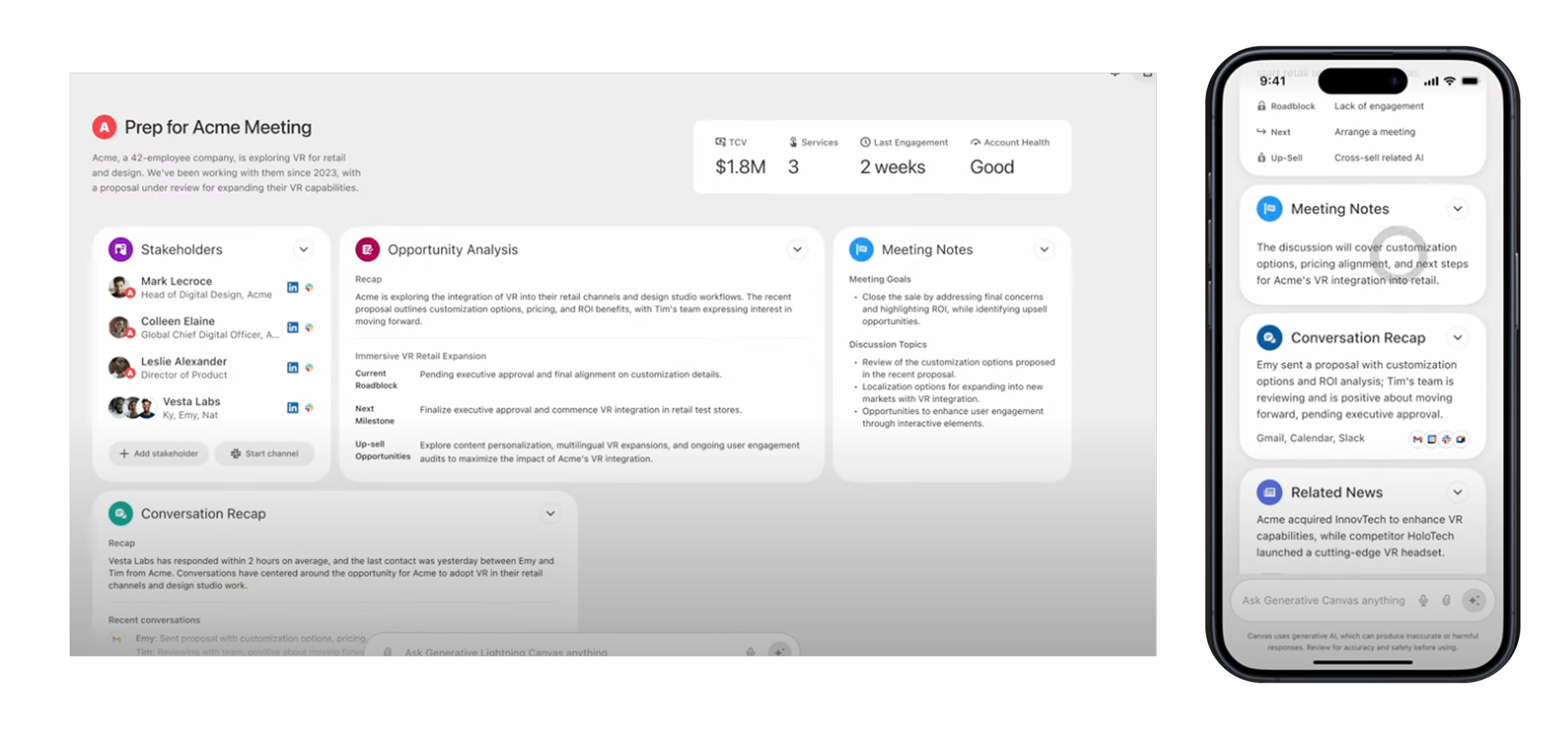
This image is from Salesforce. Our Stakeholders were obsessed with it.
But I’m sure they’ve moved on 😂
After some iterations
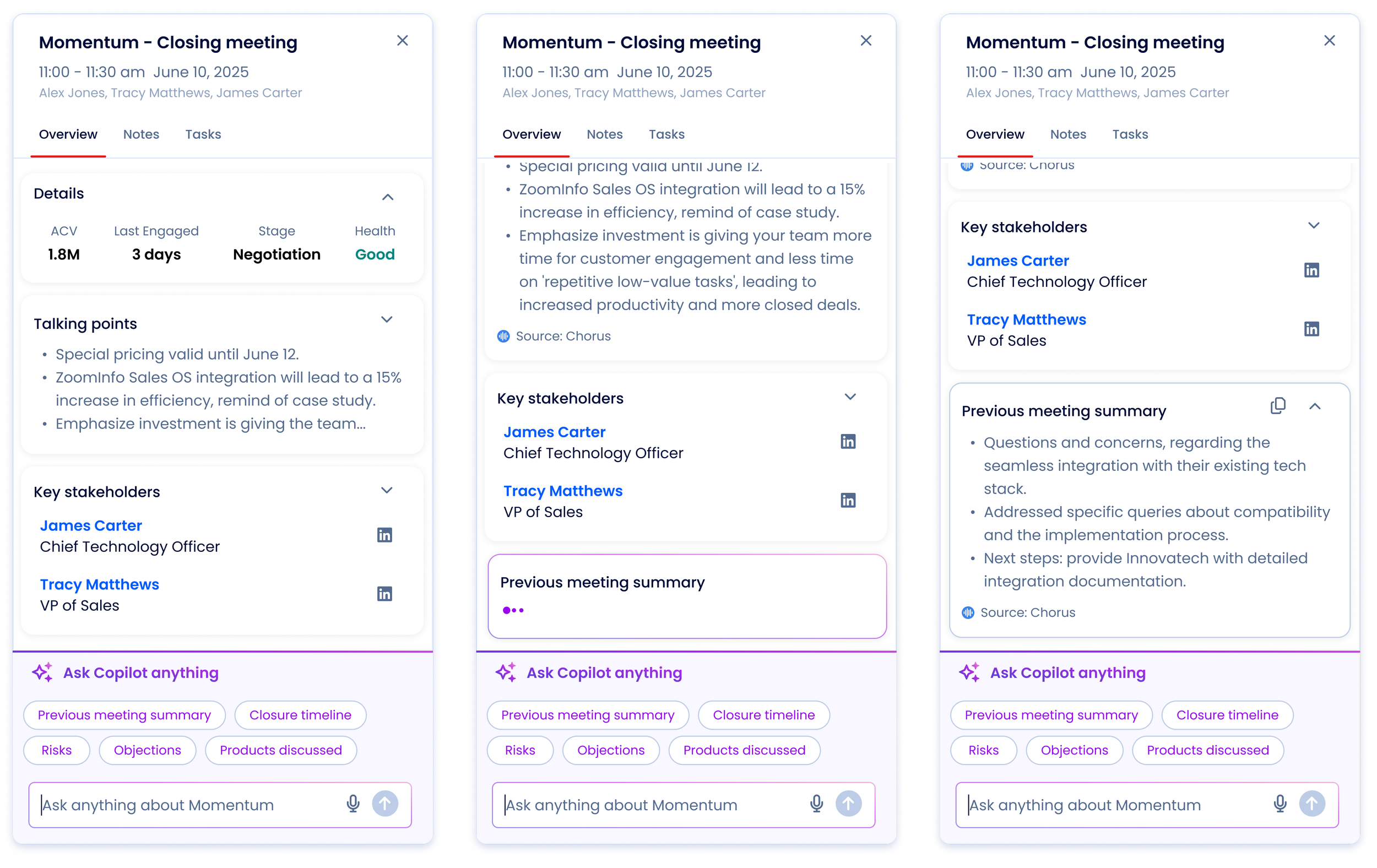
Finally the design was coming together in Figma. We changed direction a little from the initial prototypes. Figma helped me align with our design system and also be able to bring in voice animations and prompt suggestions from another team, which a contributing designer helped me integrate.
In the interactions below users can:
1. View key details on their client relationship and status.
2. Ask CoPilot questions or use a suggested prompt.
3. See an answer populate including origin sources.
Bringing in users
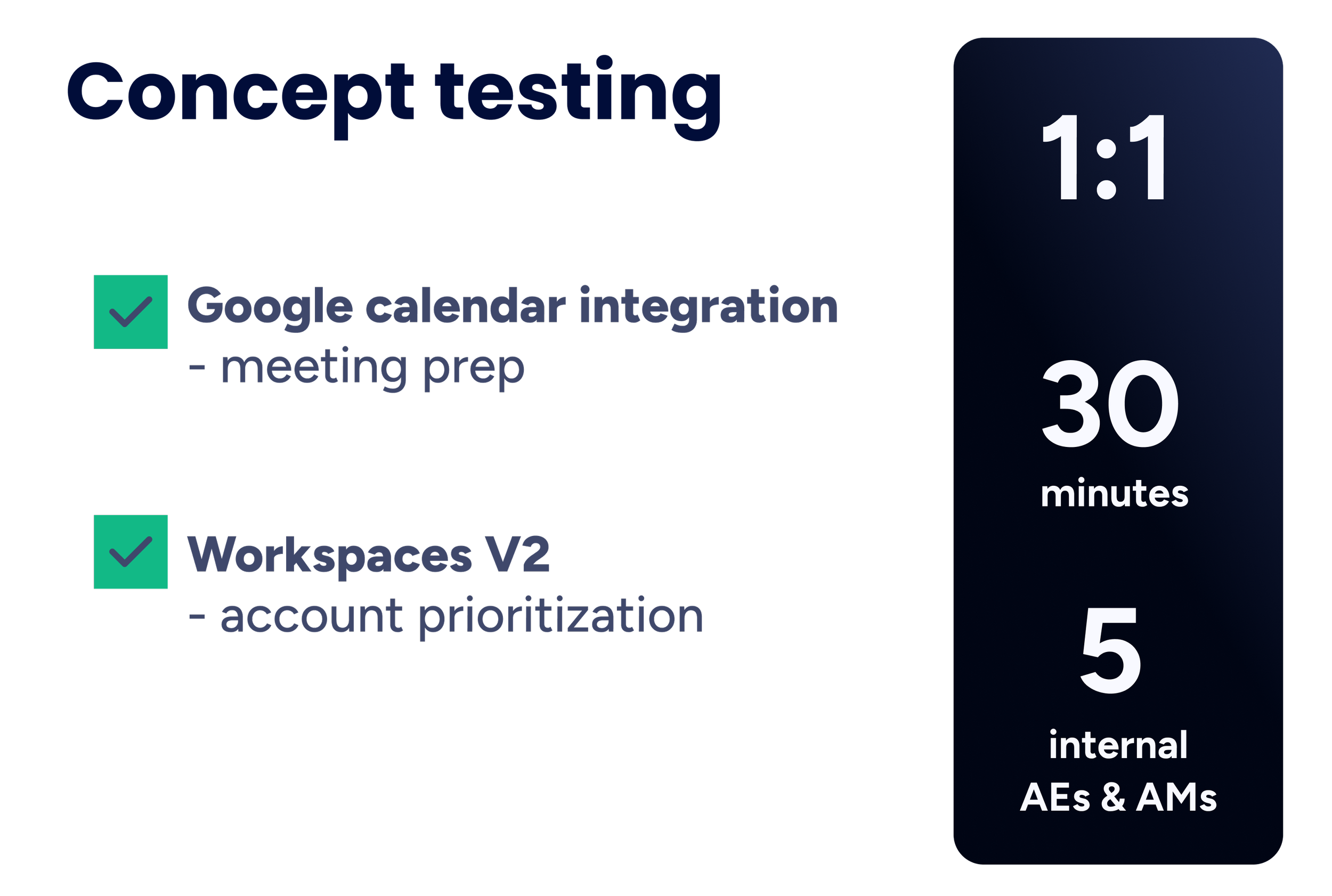
I led concept testing for both our team’s prototypes.
1:1 30 minute interviews with 5 users got us valuable feedback and validated our flows! 🙌 🙌
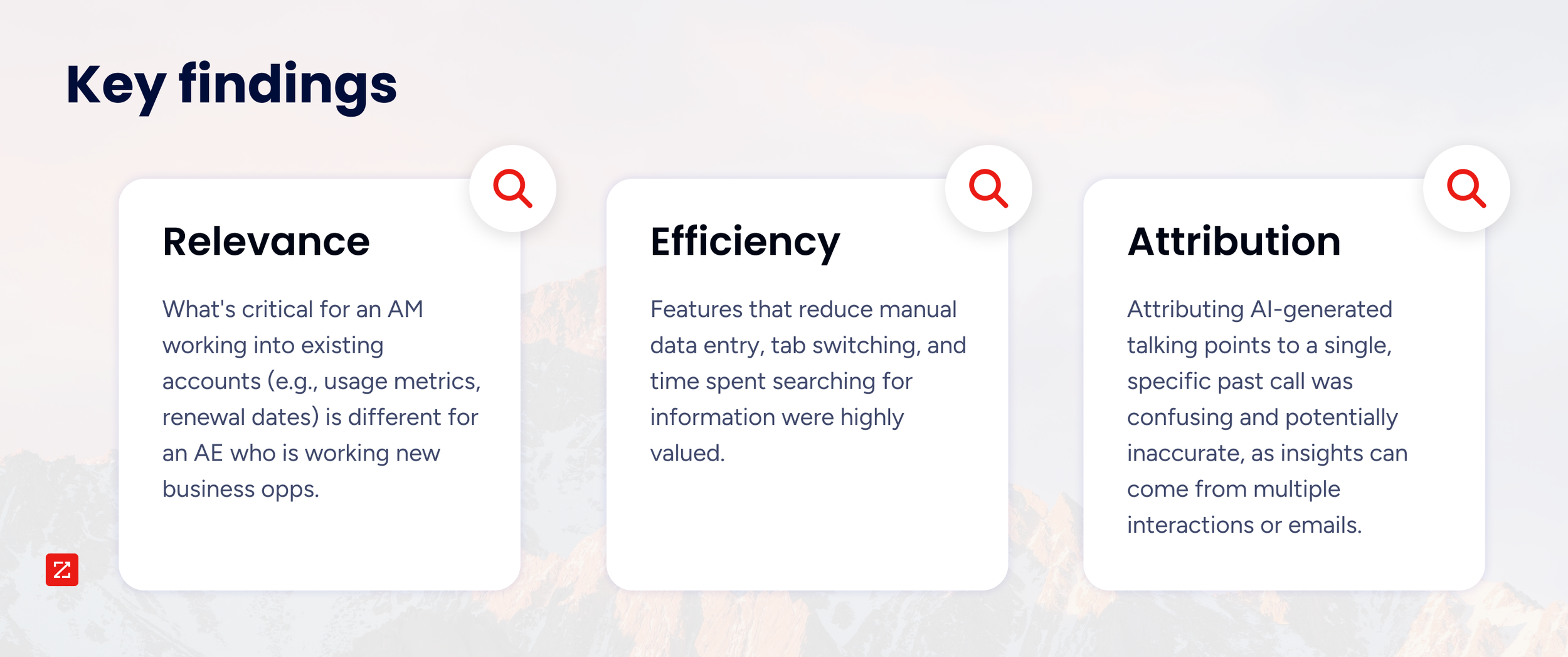
Glance at some key findings below 👇
RELEVANCE is key
During user interviews, I learned the differences needed for the meeting prep content relevant for each role;
AEs aim to close new deals.
AMs are expanding already established accounts.
Having the executive stats for the account vary for the 2 personas.
In conclusion
This project was presented to stakeholders and opened the door for further exploration into many areas including;
Extending AI tools and chat features across the product suite.
Tool integrations
Mobile app opportunities
Although the feature never went live, we learned a lot about the intricite needs of our personas.
I’m grateful this work paved a new path towards user-centered AI tooling and an entirely new additon to the ZI product suite to help sellers through the E2E process.