
Making privacy protection impossible to miss
TL;dr A hidden privacy control had become a security risk. I turned it into a clear, embedded protection workflow that protected companies, and reduced weekly support tickets.
Role
Lead Designer
Timeline
6 weeks Winter 2026
Team PM, 1 Engineer, Junior Designer
Product
Enterprise B2B
Status
Shipped
*The company name and sensitive information have been redacted. The UI was recreated with a fictional brand in Claude Design.
Results
Privacy moved from hidden configuration to embedded protection.
Protected companies from the wrong domains or sensitive emails being ingested.
Reduced weekly support tickets and complaints.
Mandatory protection, surfaced at the right time so users didn’t have to go looking for it.
Before: limited use page hidden from integrations settings.
The Problem
A hidden privacy control had become a security risk.
Users needed a way to prevent specific emails and domains from being ingested into the platform. The existing experience was:
Difficult to find, it was disconnected from integrations, where data begins becoming ingested from tools.
Only supported single entry.
Generating recurring weekly support tickets and complaints.
DISCOVERY
I audited the information architecture, discoverability, and how competitors handle privacy.
The problem needed to be solved at two levels:
Where users manage protected data
How to make protection mandatory
I worked closely with the PM to phase it into two connected experiences.
01 MANAGE PROTECTED DATA
Give privacy controls a clear home.
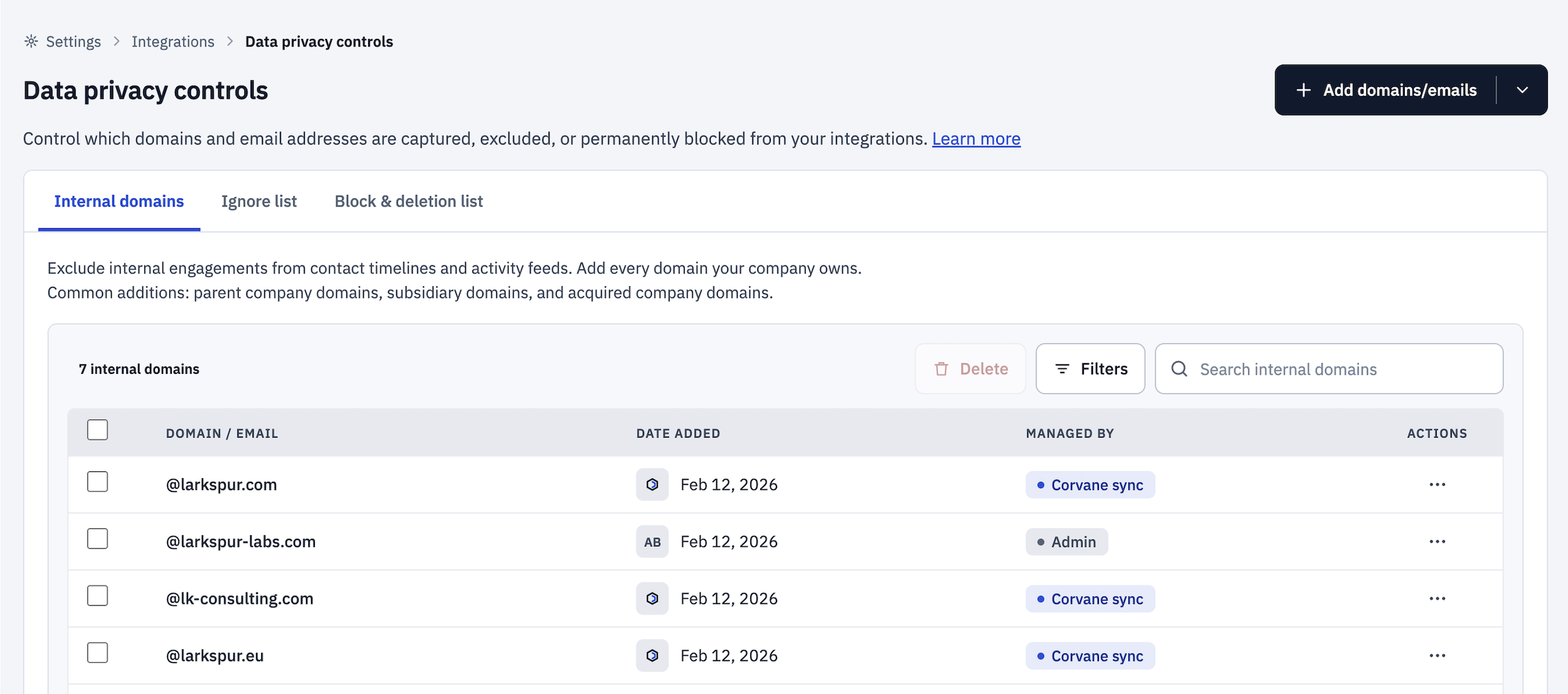
I designed a fully functioning new privacy management page.
I collaborated with stakeholders to move the page to fit within existing integrations settings.
Three tabs: a tab for each list type
Audit trail: date, who added it, and whether it was auto-added or added by an admin
Bulk tools: bulk upload, bulk delete, search, and filters
Improvements: Term context & Enterprise volume
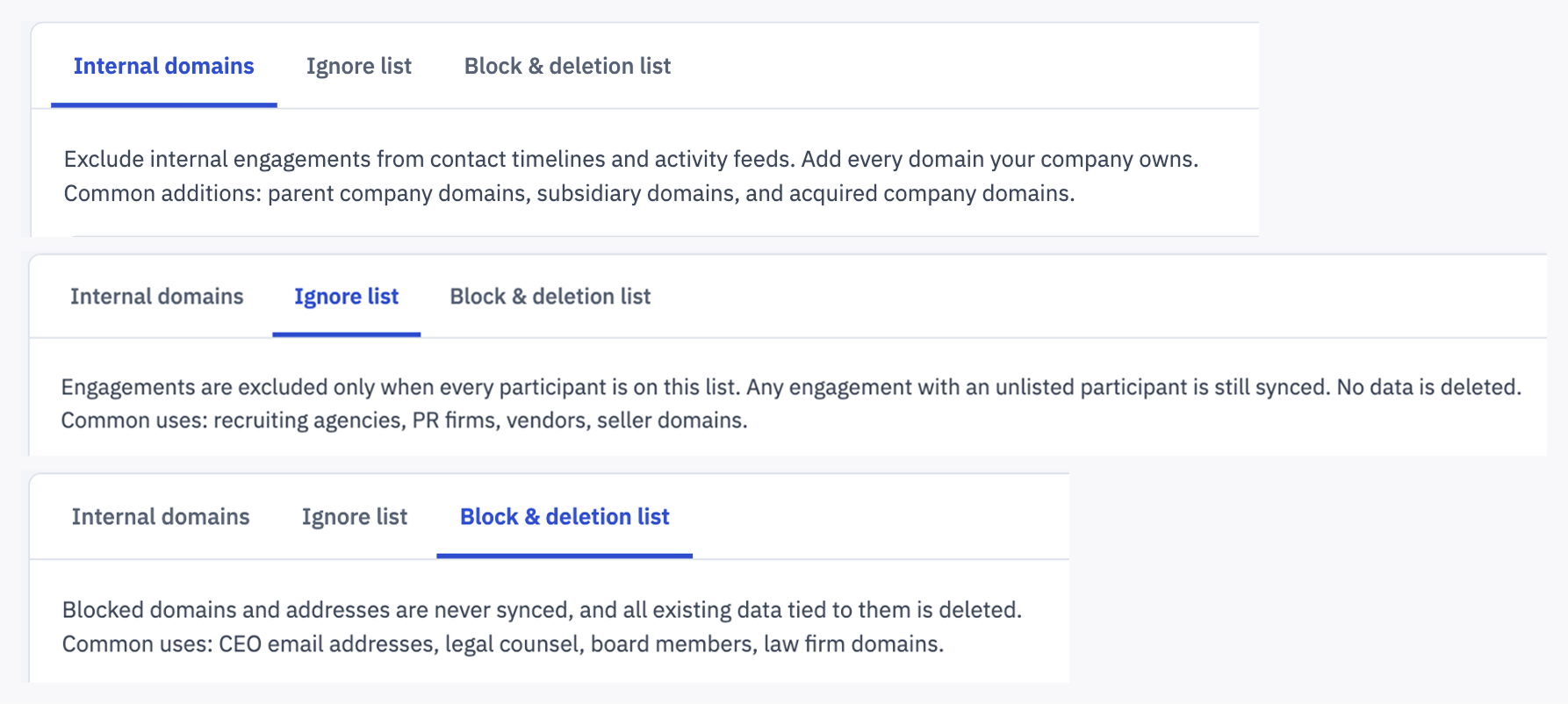
Subtext changes with each tab
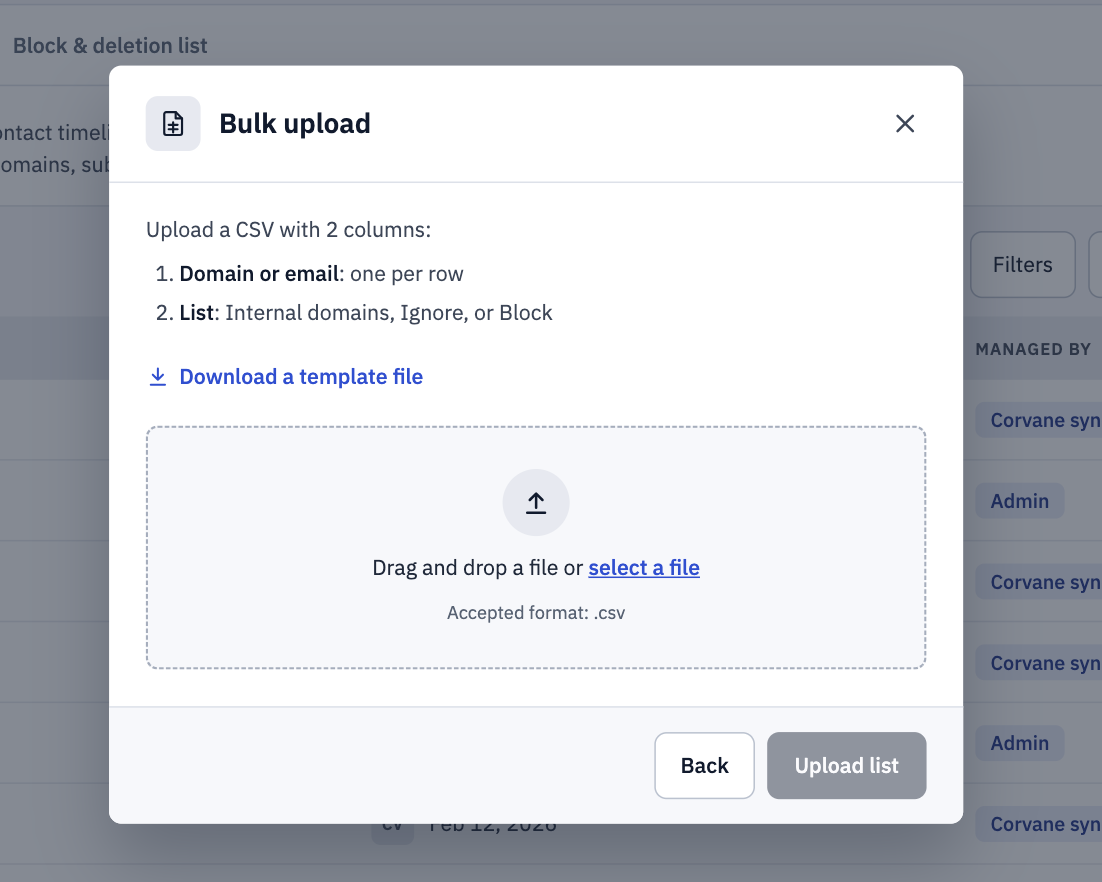
Bulk upload
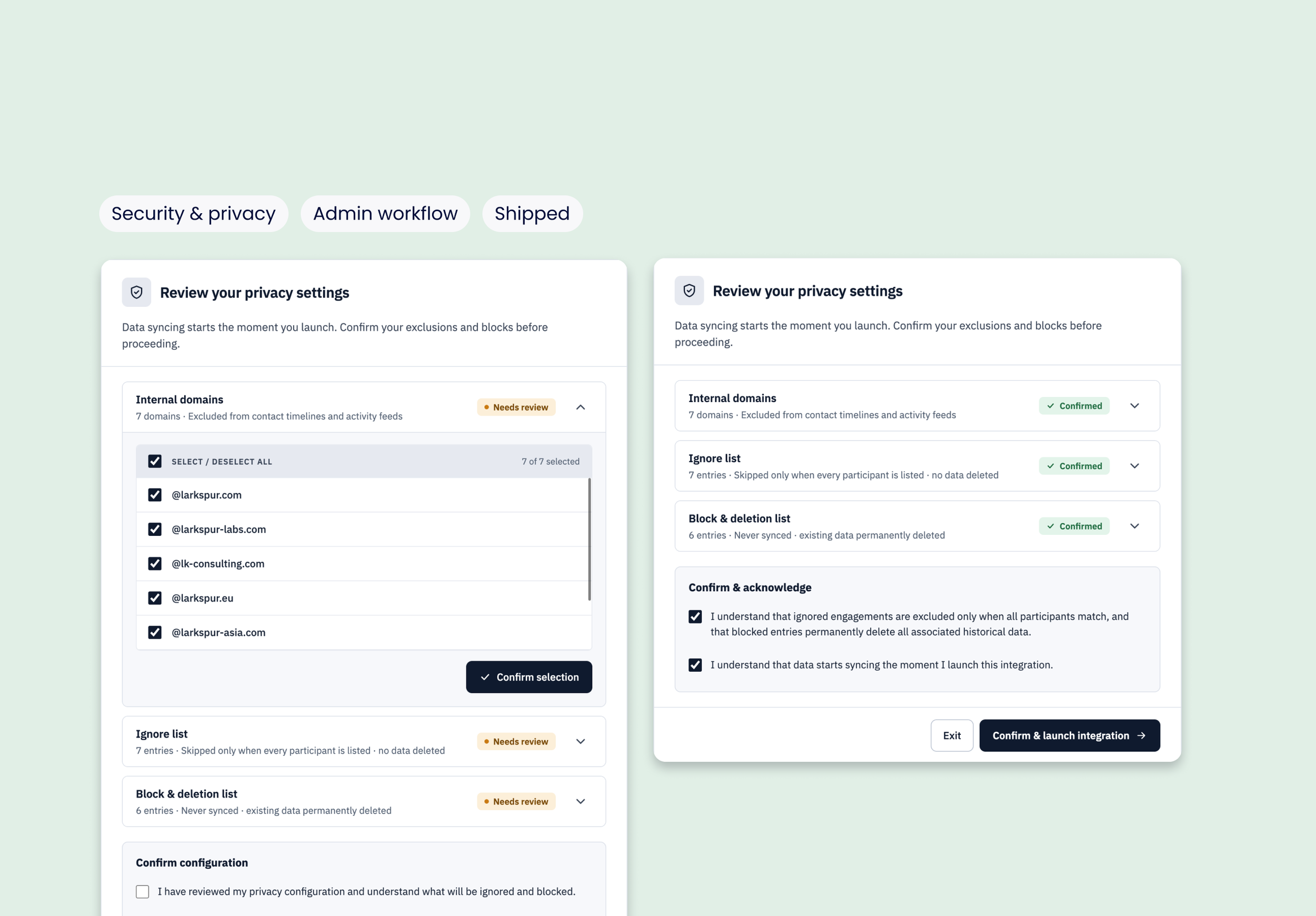
Privacy wizard component
02 PROTECT DATA DURING SETUP
Quick and easy privacy wizard
Our existing pattern was a stepper. After talking with a designer with expertise in integrations, I simplified a 3-step dialog to a single step with distinct content sections. Users were already navigating a complex setup, so every added step added cognitive load.
Our technology already scanned each setup and suggested emails and domains to protect. Users review what was found and uncheck anything they want to allow.
The system surfaced the protection, while giving users control.
Reflective insight
Good security UX doesn't just protect users. It helps people make the right decision at the right moment.
ASK ME ABOUT
How I handed over the wizard to a Junior Designer to finish mid-project
Why I cut the stepper to one step
Bringing existing users into a mandatory setup without it feeling like an afterthought